
CompanionAPM / Time & WIP
Accounting Practice Management · Time & WIPTime goes in once. Billing comes out.
Start a timer from the client page, post it to WIP, and bill from a digest that shows aging, staff and what’s ready.

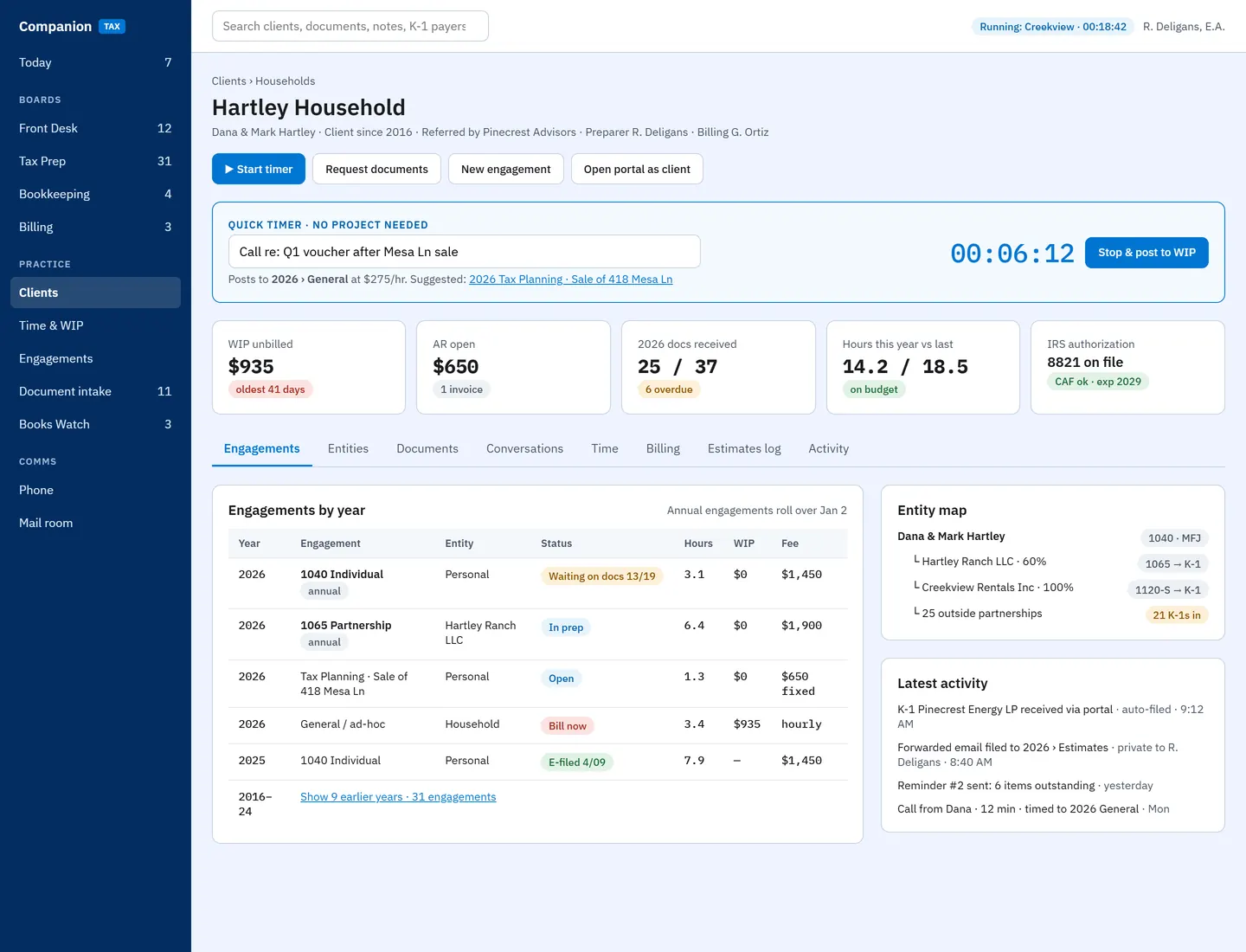
A timer that doesn’t need a project
- One click starts a timer from the client page, with no project needed.
- Time posts to the client’s tax year, with a suggested engagement.
- Stop and post to WIP when the call or task is done.
- The client page shows WIP unbilled, open AR, documents received and hours this year against last.
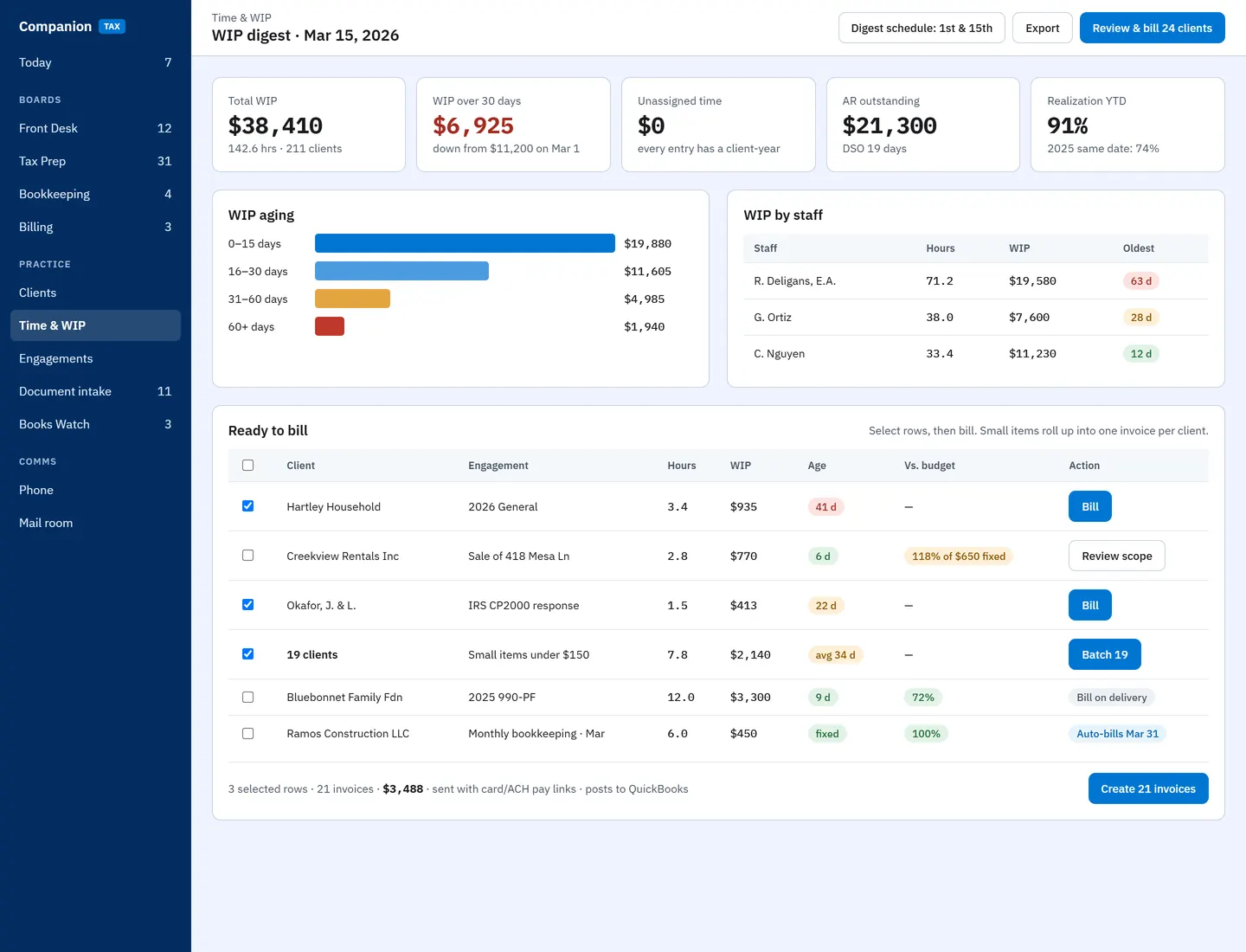
A WIP digest that gets work billed
- Total WIP, WIP over 30 days, unassigned time and AR outstanding at a glance.
- WIP aging and WIP by staff show where work is sitting.
- A ready-to-bill list with Bill, Review scope or Batch for small items, rolled into one invoice per client.
- Invoices go out with card and ACH pay links and post to QuickBooks.
- A digest schedule keeps the review on a regular rhythm.
More from CompanionAPM
Tax Engagements
Track every return from letter sent to e-filed.
Learn more →Client Portal & Document Intake
Clients see what’s needed and upload from any device.
Learn more →Client Books Watch
A daily QuickBooks check with alerts you can act on.
Learn more →Product screens show sample data. CompanionAPM is in early access.
Early Access
Run your whole practice from one board.
Request early access to CompanionAPM. We review every request ourselves and invite firms in small groups.
- Request access. It takes about a minute.
- We review every request ourselves and match firms to where CompanionAPM fits best.
- When there’s room for you, a real person reaches out to set up your walkthrough.