
CompanionAPM / Client Portal
Accounting Practice Management · Client PortalClients know what’s needed. You get it filed.
A client portal for checklists, uploads, signatures and messages, and a document intake desk that files what arrives.

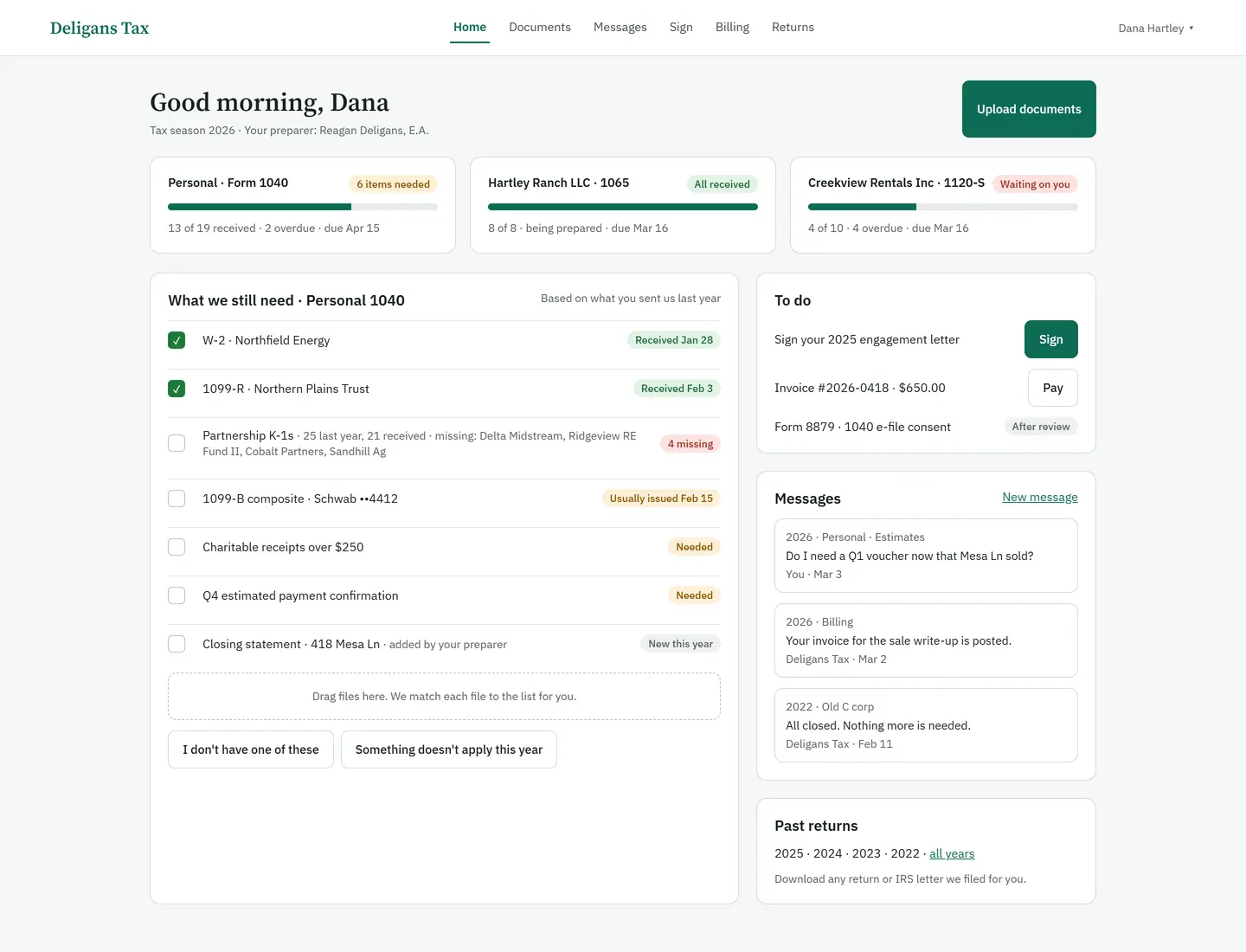
A checklist clients can act on
- “What we still need” is based on what the client sent last year, with each item marked received, missing or usually issued.
- Drag files in, and each file is matched to the list. Clients can say “I don’t have one of these” or “Something doesn’t apply this year.”
- To-dos in one place: sign the engagement letter, pay an invoice and give e-file consent.
- Messages and past returns sit alongside, so clients stop emailing for them.
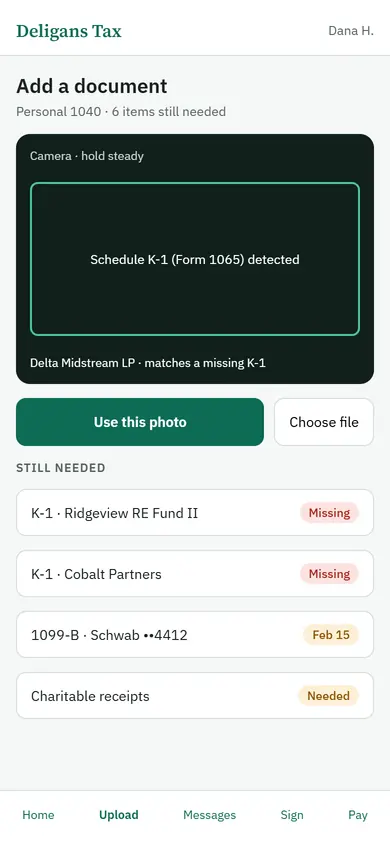
Upload from a phone camera
- Hold the camera steady and the portal detects the document type.
- It matches the photo to a missing item, such as a specific K-1.
- Or choose a file already on the phone.
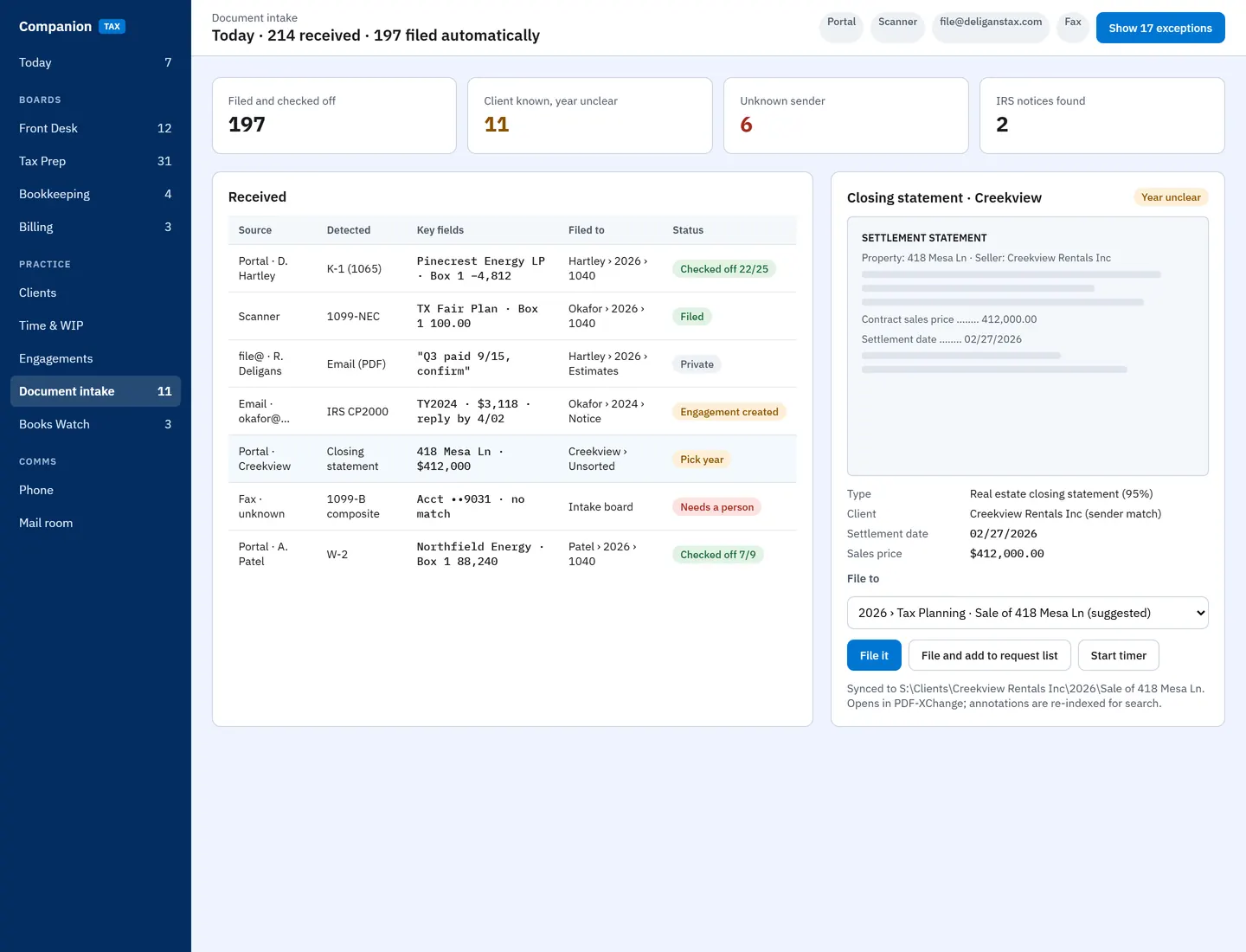
Intake that files for you
- Documents arrive from the portal, scanner, email and fax.
- Each one is detected, with key fields read and filed to the right client, year and engagement.
- Exceptions go to a person: unclear year, unknown sender or no match.
- IRS notices are spotted and can start an engagement.
More from CompanionAPM
Tax Engagements
Track every return from letter sent to e-filed.
Learn more →Client Books Watch
A daily QuickBooks check with alerts you can act on.
Learn more →Time & WIP
One-click timer and a WIP digest that gets work billed.
Learn more →Product screens show sample data. CompanionAPM is in early access.
Early Access
Run your whole practice from one board.
Request early access to CompanionAPM. We review every request ourselves and invite firms in small groups.
- Request access. It takes about a minute.
- We review every request ourselves and match firms to where CompanionAPM fits best.
- When there’s room for you, a real person reaches out to set up your walkthrough.